
Stable work organisation without endless phone calls and messages
Canterivo brings tasks, issue reports, announcements and team responsibilities together in one system. Important information stays in one place instead of being passed along through a chain of calls and messages.
60 days free · no card required · no automatic renewal
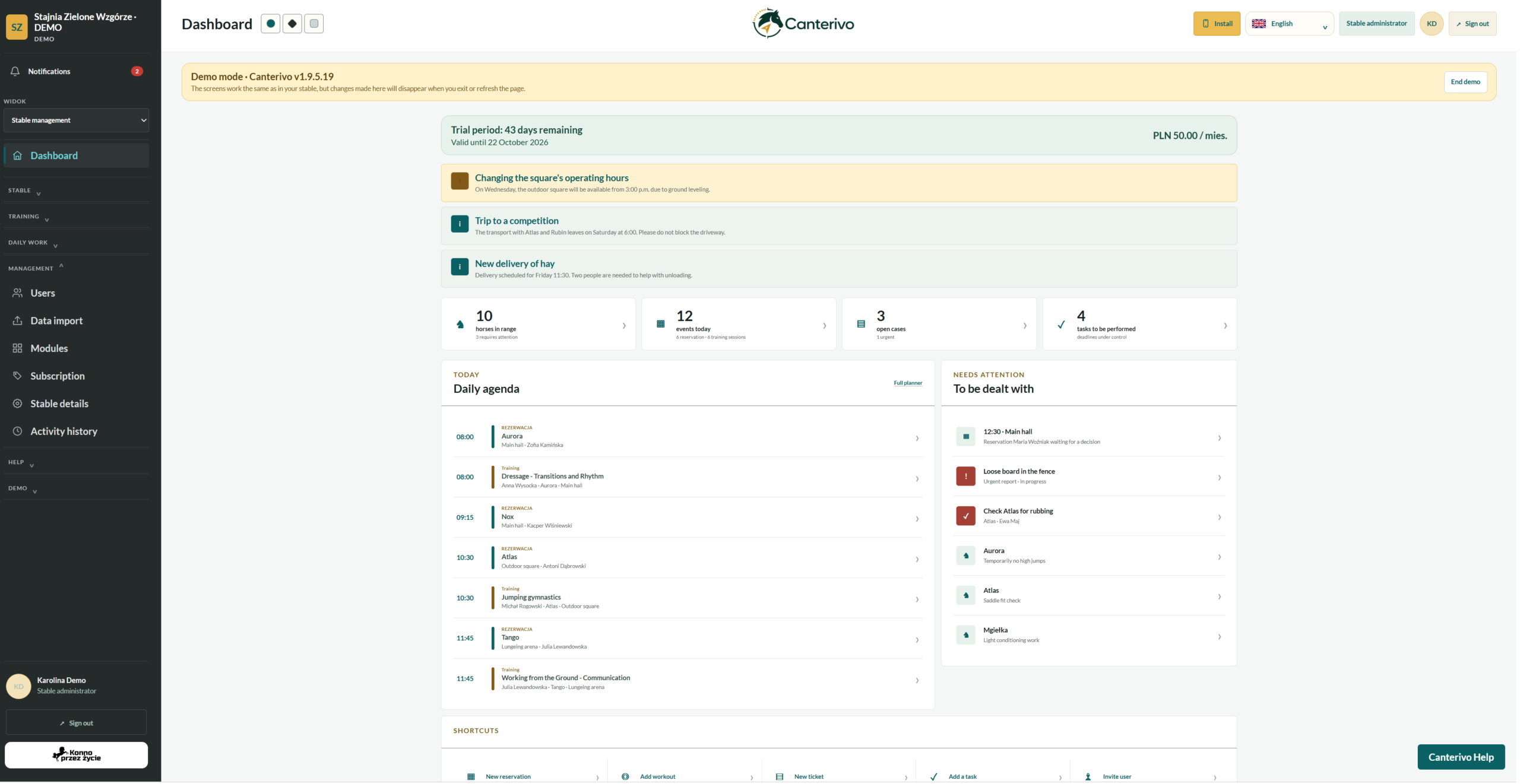
Confusion begins when everyone knows only part of the story
One person receives a message about a feeding change, someone else knows about damaged fencing, and a task for a staff member is passed on verbally.
Canterivo turns this information into clear tasks, issue reports and announcements that are available to the right people.
Manage stable staff and daily duties
Effective stable work organisation starts with clear responsibilities. Instead of sending another message, add the task or issue to the system and assign it to the person responsible.
Stable tasks with deadlines and clear responsibility
Each task clearly shows what needs to be done, who is responsible and how the work is progressing. There is no need to rely on verbal arrangements or private messages to keep track of stable work.
- task description
- assignee
- due date
- task status
- current tasks
- overdue tasks
Problems no longer get lost in conversations
Faults, organisational problems and other issues requiring action can be reported and tracked in one place.
- report subject
- problem description
- priority
- assignee
- report status
- change history
Important information for the right people
There is no need to send stable updates separately to every user through a messaging app.
- important organisational updates
- announcements for users
- information about changes
- messages for selected groups
- updates available in the system
- easy access to previous announcements
Staff schedules and team organisation
A work schedule helps organise staff attendance and responsibilities. A shared schedule makes it easier to see who is available and which duties need to be completed that day.
- work schedule
- staff shifts
- today’s duties
- links to tasks
- team information
- a clearer view of the day
Review previous activity whenever needed
When several people work together, it is important not only to know what is happening now but also to be able to review earlier updates and changes.
- activity history
- report statuses
- changes to reports
- completed tasks
- previous announcements
- greater transparency across the team
Every issue can have a clear next step
Instead of passing information on verbally, assign responsibility and a status straight away.
Something needs attention
a task, problem, change or important update
It is added to the system
the information is no longer confined to a private conversation
Responsibility is clear
a task or issue report can be assigned to a specific person
The outcome is visible
the status shows whether the task or issue has been resolved
Fewer questions about who was supposed to handle each job
Effective stable work organisation gives administrators and staff a shared point of reference. Everyone can see which items remain open, who is responsible for each task and what needs attention first.
Clear responsibility
A task or issue report can be assigned to a specific person, making it clear who needs to act.
One source of information
The team does not have to piece together arrangements scattered across several messaging apps and private conversations.
A clearer view of the day
Administrators and staff can quickly see what is important right now.
Fewer jobs put off until later
A task recorded in the system is more likely to be noticed than a message lost in a long conversation.
Everyone sees the information relevant to their work
Administrator
has an overview of current tasks, issue reports and stable operations
Staff member
sees their duties and the information needed to complete them
Instructor
receives information related to lessons and assigned responsibilities
Other users
have access only to announcements and information relevant to their role
Frequently asked questions about stable work organisation
Can a task be assigned to a specific person?
What is the difference between a task and an issue report?
Can important information be shared with the whole team?
Can a staff member see all the data in the system?
Can I start with tasks and staff organisation only?
Explore other areas of the system
Organise your team’s daily work
Improve stable work organisation with Canterivo. Manage tasks, issue reports and team communication in your own stable free for 60 days.
No card required and no automatic renewal.